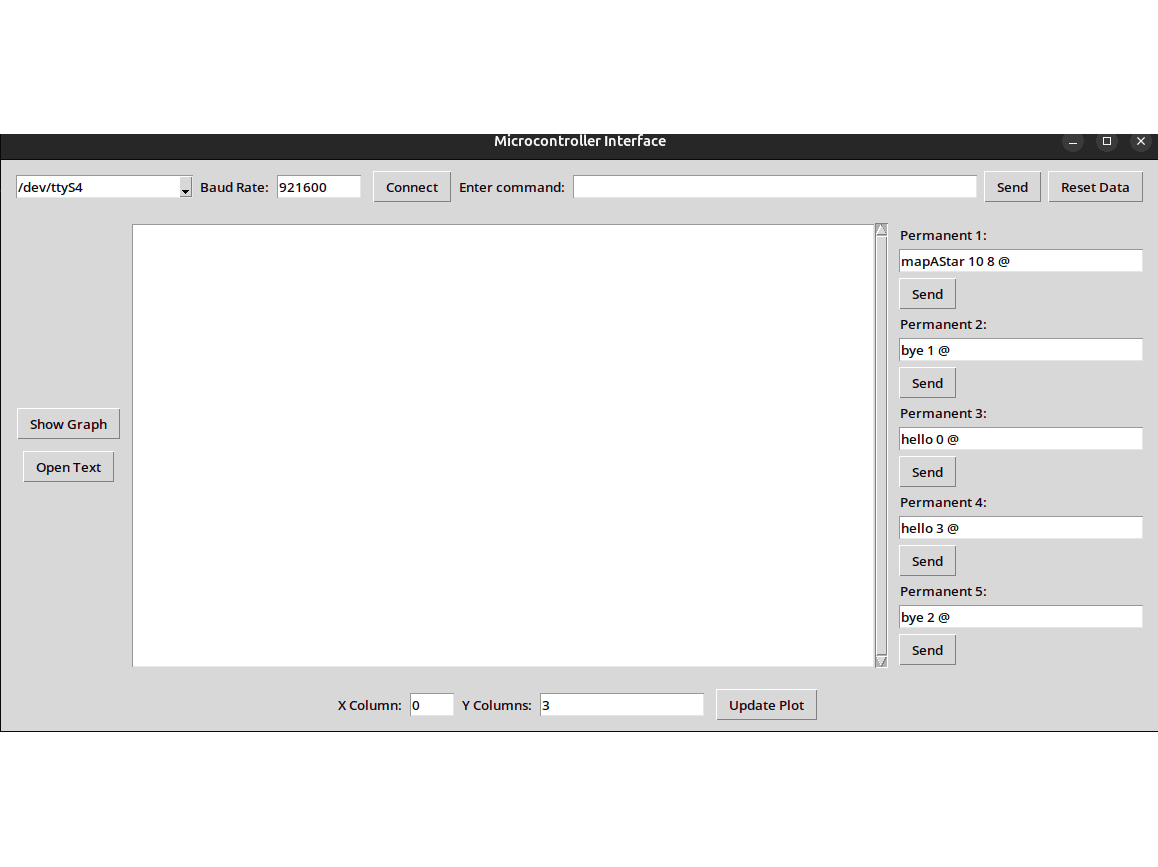
Python Serial Console — Robotics Telemetry & Tuner
Built a small desktop console to command the STM32 robot and visualize tab‑separated telemetry in real‑time with configurable axes and persistent presets.
Outcomes
- One‑click connect/disconnect and macro commands
- Regex‑based parser maps any columns to X/Y plots
- Saves baudrate, columns, and command presets to config file
- Real‑time plotting with Matplotlib in a Tk window
Overview
While bringing up the mobile robot firmware, I needed a fast way to send commands, see responses, and tune gains live. I built a lightweight Tkinter app that opens a serial port, sends typed or preset commands, parses tab‑separated telemetry, and plots selected columns in real‑time.
Key Features
- Serial lifecycle and queueing:
connect_serial()sets up the port, and a separate threadread_serial()pushes lines into a thread‑safe queue so the UI stays responsive. - Flexible plotting: a regex parser extracts numbers from tab‑separated fields; UI fields select the X column and arbitrary Y columns; plots update as data arrives.
- Presets + persistence: store baudrate, chosen columns, and five “permanent” commands in a config file next to the executable.
- Multi‑line send: a small text window lets me compose multi‑line messages and send them as a single command block.
How It Works
- Connect and listen: pick a serial port/baud, hit Connect, and a background thread reads lines into a queue so the UI never blocks.
- See and steer: the main window shows every line from the robot; you can send ad‑hoc commands or 1‑click presets.
- Plot anything: choose which column is X and which columns are Y; the app extracts numbers from each tab‑separated field and updates the plot live.
- Remember my setup: it saves baudrate, chosen columns, and macros into a simple config file next to the app, so it’s ready to go next time.
Works With The Robot Firmware
The robot publishes a single tab‑separated line every cycle with position, heading, PWM and tick counts. Example fields include x, y, thetaG, squareSide, and Kp/Ki/Kd. See the firmware’s formatted line and cadence here: Robotica_dacardenasj/PruebasMotores/App/Src/velocityWithTime.c:868.
With the console, I typically plot X as distance and Y as heading error and both PWM duties to verify straightness while tuning theta gains.